How to Play 2048 3D
Learn the controls, build bigger tiles and keep space open across three dimensions.
1. How the game works
Move numbered tiles through a cube. Two matching tiles merge into one with twice the value: 2 + 2 = 4, 4 + 4 = 8, and 1024 + 1024 = 2048. You can move horizontally, vertically and in depth.
All tiles move along the chosen direction. A tile created by a merge cannot merge again during that same move. In CLASSIC, a successful move adds one new tile. A move that leaves the board unchanged adds none.
Reach 2048, then choose Continue to aim for 4096 or 8192. The game ends when no move is available, or when the timer expires in a timed mode.
Try the 2×2×2 interactive tutorial →2. Controls on mobile and desktop
| Action | Control |
|---|---|
| Move tiles on a touch screen | Swipe a cube, or use the directional pad |
| Move left / right on screen | A / D or ← / → |
| Move up / down on screen | W / S |
| Move into / out of the screen | ↑ / ↓ or the depth buttons |
| Rotate the view | Drag an empty area around the cube |
| Inspect hidden tiles | X for X-ray; 0 for all layers; 1–4 for individual floors |
The movement controls follow the camera view. After rotating the cube, screen-right may correspond to a different world axis. Check the swipe prediction arrow before committing a move. Q and E are not movement keys in the current version.
Rotating the camera, switching layers and enabling X-ray do not consume a move or spawn a new tile. Floor 4 is available only on a 4×4×4 board.
3. Start with a corner strategy
Choose one corner for your largest tile, and prefer moves toward it along three axes. The front-bottom-right corner is one possible choice. Other corners work too; none guarantees a win.
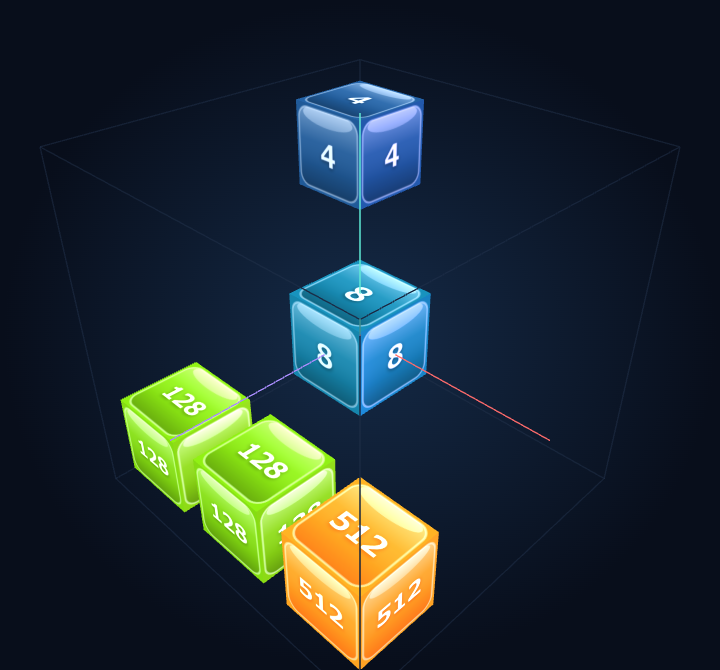
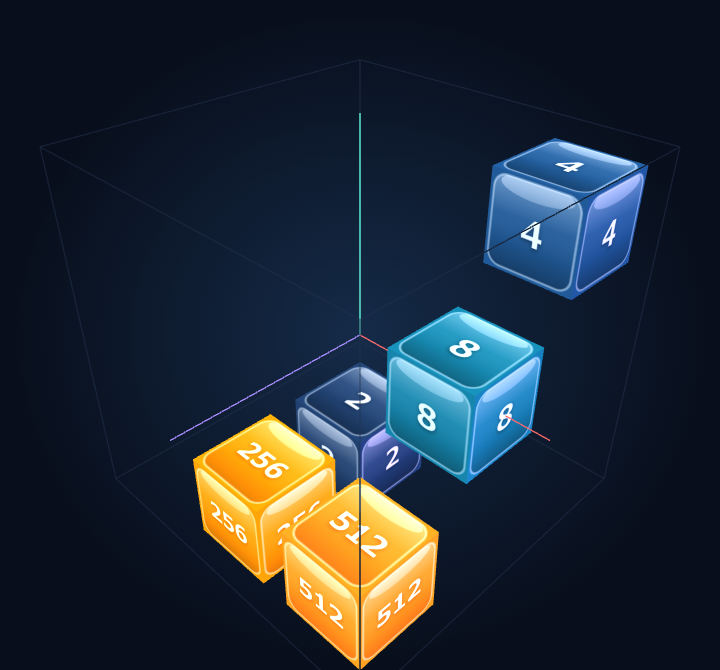
- Find your largest tile and pick a corner.
- Keep the next-largest tile nearby, with a route for a matching tile.
- Look for merges before making a move that only rearranges the board.
- Inspect the row containing the largest tile before moving away from the corner.
A full row can sometimes protect a large tile during a reverse move, but a merge in that row can open space and move the tile. Check both occupancy and matching pairs.
4. Recover when space runs low
In CLASSIC, one merge frees one cell, but the new tile uses one cell. Two merges in the same move can increase your empty-cell count by one. Find matching pairs along the same move direction, then inspect where your largest tile will end up.
Pause before moving, rotate the view to inspect hidden tiles, and use floor slicing when necessary. Undo starts with one charge, can hold up to three, and gains a charge after every four merges. Use a charge to correct an accidental move when available.
5. Choose a game mode
| Mode | What to expect |
|---|---|
| CLASSIC | Choose a 3×3×3 or 4×4×4 board and a five-minute timer or no timer. One new tile per successful move. |
| SPEEDRUN | Reach 2048 as quickly as possible within five minutes. |
| HARD | A 3×3×3 board with unmergeable glitch tiles and one or two new tiles per move. Nearby merges can destroy glitches. |
| PARTY | A 4×4×4 board with one to four new tiles per move, time-bonus tiles and a three-times FEVER score multiplier. |
For a first attempt, choose CLASSIC without a timer. The ordinary numeric spawn probabilities are 90% for 2 and 10% for 4. HARD and PARTY FEVER use different probabilities.
Play CLASSIC without a timer →6. Frequently asked questions
Can I keep playing after reaching 2048?
Yes. Choose Continue and work toward larger tiles such as 4096 and 8192.
Does a new tile merge twice in one move?
No. A tile created by a merge can merge again only on a later move.
Do I need an account or download?
No. The game runs in your browser. Local best scores are saved in that browser; clearing its storage removes them.
Why do the controls change after I rotate the cube?
They follow the screen view. Use the directional pad and prediction arrow to choose a direction relative to the current camera.
More guides
The detailed guides below are currently in Japanese and include board images.
Back to the English home page